• Hi all and welcome to TheWoodHaven2 brought into the 21st Century, kicking and screaming! We all have Alasdair to thank for the vast bulk of the heavy lifting to get us here, no more so than me because he's taken away a huge burden of responsibility from my shoulders and brought us to this new shiny home, with all your previous content (hopefully) still intact! Please peruse and feed back. There is still plenty to do, like changing the colour scheme, adding the banner graphic, tweaking the odd setting here and there so I have added a new thread in the 'Technical Issues, Bugs and Feature Requests' forum for you to add any issues you find, any missing settings or just anything you'd like to see added/removed from the feature set that Xenforo offers. We will get to everything over the coming weeks so please be patient, but add anything at all to the thread I mention above and we promise to get to them over the next few days/weeks/months. In the meantime, please enjoy!

Anyone else having problems?

TrimTheKing":3jizbsnw said:
What were you doing when you got that, just trying to post a reply?

Trying to stick an image into a post, using the forum's image hosting.
 
novocaine":kh1rohkh said:
check your address as already suggested.

otherwise please hard type in to the search bar HTTPS://www.thewoodhaven2.co.uk

I did, and got this message:


Hmm. We’re having trouble finding that site.

We can’t connect to the server at https.thewoodhaven2.co.uk.

If that address is correct, here are three other things you can try:

Try again later.
Check your network connection.
If you are connected but behind a firewall, check that Firefox has permission to access the Web.
 
Something to try please Mike, click into the search bar at the bottom and type ‘cmd’ just those three letters.

Once it opens up the DOS window (black window with white text) type the following:

Ping -t http://www.thewoodhaven2.co.uk

Then hit enter.

This will start a continuous ping from your machine to the forum server, please leave this running and do not close the window.

Now use the forum as normal, if/when you experience an issue click back into that ping window and see what it says.

If everything is connecting fine between your machine and the forum then the responses will continue as normal, getting a response in ms (milliseconds) from the server.

If anything is getting dropped or lost then you will see dropped packets in the form of a line of text that says ‘request timed out’ or similar.

Please report back whether you see any dropped packets at or around the time of the forum issue. This will tell us, very basically, whether you are having any intermittent packet loss/connectivity issues from your machine to the forum.

Once we know either way then we can work out where to look next.
 
Mike G":6qokmnry said:
novocaine":6qokmnry said:
check your address as already suggested.

otherwise please hard type in to the search bar HTTPS://www.thewoodhaven2.co.uk

I did, and got this message:


Hmm. We’re having trouble finding that site.

We can’t connect to the server at https.thewoodhaven2.co.uk.

If that address is correct, here are three other things you can try:

Try again later.
Check your network connection.
If you are connected but behind a firewall, check that Firefox has permission to access the Web.

Mike did you type it in or click the link for https://www.thewoodhaven2.co.uk ?

I only ask because that error is returning slightly wrong text.
 
Mike G":1nnb1zh0 said:
novocaine":1nnb1zh0 said:
check your address as already suggested.

otherwise please hard type in to the search bar HTTPS://www.thewoodhaven2.co.uk

I did, and got this message:


Hmm. We’re having trouble finding that site.

We can’t connect to the server at https.thewoodhaven2.co.uk.

If that address is correct, here are three other things you can try:

Try again later.
Check your network connection.
If you are connected but behind a firewall, check that Firefox has permission to access the Web.

Mike did you type it in or click the link for https://www.thewoodhaven2.co.uk ?

I only ask because that error is returning slightly wrong text.
 
I typed it, then selected from the drop-down suggestion.
 
I've corrected, and done it again. No error message this time, and the padlock image in the address bar has changed.
 
You might be onto something here, chaps. Accessing via https seems to be working at the moment.
 
Mike G":gnc4019v said:
You might be onto something here, chaps. Accessing via https seems to be working at the moment.

Give it time Mike, I don’t believe it is the fix, I think you’re just getting lucky at the moment...
 
Trying the same post via http:

It fell over at "upload picture", and at "submit", without the picture loaded.
 

Attachments

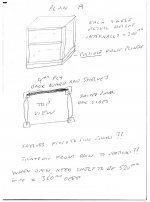
  • Bob's sketch.jpg
    Bob's sketch.jpg
    100.7 KB · Views: 7,421
Hmmm.....but the picture loaded, and it took 6 hits of "submit" for it to work.
 
Ooooooh, hold on! It looks like the SSL cert came in over the weekend but they didn’t tell me! I was expecting a confirmation email but it looks like it’s been applied.

Okay so let’s see how this goes and if it stays stable then it’s some kind of security setting in your machine, but either way if it works then woohoo!
 
Mike G":1r5iput8 said:
Hmmm.....but the picture loaded, and it took 6 hits of "submit" for it to work.

Ignore that.

Delete all memory of the http version and use only the https site from now on and let’s see how we get along.
 
All evidence so far seems to be that things are now working fine.
 
Now that the site has an SSL certificate, it may be worth members generally changing their bookmarks. I've just done that and cleared out old site cookies. Site is now showing as secure.
 
All looking good from here Mark and, on the plus side, the forum software has the smarts to be serving older internally hosted images over https as well. That would've been a major pain in the posterior to sort out manually :eusa-dance:

Thanks for courting the dark arts and working the enchantments :obscene-drinkingcheers:
 
9fingers":1gsbxd6o said:
@ Mark,
Something else possibly needs changing now as all our outgoing notification email links use the http address.

Bob


Thanks Bob, I'll take a look. The old http will still work fine as both exist, but you're right that I should change the emails.
 
Can I thank everyone again for their help, which is very much appreciated. Especially you Mark.
 
Thanks Mike. I'm delighted we could be of collective help, got to keep our members happy! :lol: :eusa-clap:

Thanks for all the suggestions everyone. :obscene-drinkingcheers:
 
Well that's a relief.
Well done.
And hats off to Mike for not chucking his pc out of the window.

Odd that this Https malarky affected so few people.
 
Andyp":3i78qstx said:
Odd that this Https malarky affected so few people.

99% certain it is a combination of Window update added to security applications on Mike's machine, that differ to his wife's, combining to cause the error. I hate ones like this where you fix it but would likely never find the true root cause (at least not without spending a commercially unrealistic time in doing so). Ah well, too much else to think about so for possibly the first time in my life, I really don't care what the cause was, if Mike's working okay again then I'm throwing it out of my brain. :eusa-whistle:
 
well done Mark, if nothing else, Mikes issue has helped the forum as a whole as we are now a secured site again.
 
Back
Top