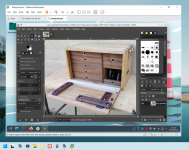
I have recently started with Darktable (on Linux). I am beginning to really like it for photographic processing, and getting excellent results. Previously I used Bibble, which was bought by Corel Corp. and became "Aftershot". I had a full licence, but it's now not-quite abandonware, which is sad, because it was good and a lot faster than Photoshop, with a less-steep learning curve, too. Reluctantly after around 15 years altogether, I've had to give up on it.
Darktable seems to do things differently from Lightroom/Photoshop (but that's not a bad thing), although it is workflow-based. It doesn't have the AI elements either (which really aren't of interest to me, presently), so you can't have it remove people from group photographs, etc.. But it does have a lot of features I want, for example DIY lens correction based on Lensfun.
I have a 'boutique' 15mm fully-manual lens for landscape and 360VR panorama work, a Laowa "D-Dreamer". IMHO, it lives up to its "zero distortion" claim, but it does have significant chromatic aberration.
Using Lensfun I can build my own correction data, and add that to my local Lensfun database, so the correction is automatic. This is very helpful when each 360VR image comprises up to 28 full frame images (well, parts of 28 frames, anyway). From Darktable, the images go to Panorama Tools, for stitching (the gui front-end for this is Hugin), then into Pano2VR by Garden Gnome, and finally back to an equirectangular jpeg, with GPS data, etc..
As with woodwork, the trick for a low stress workflow is to standardize the components as much as possible!
Darktable's editing and tonal correction is also very powerful. My present desktop machine isn't, however, so, like Photoshop, it really needs a bit of horsepower to make it work well. There will be a PC upgrade in due course, I expect.
Of course, Darktable and Lensfun are both totally free, for Windows, Macs and a range of Linuxes.
And there are several channels offering Darktable tutorials on YouTube.
E.
Darktable is here
Lensfun is here