- Joined
- Jul 21, 2014
- Messages
- 10,414
- Reaction score
- 165
This is not meant to offer exhaustive coverage but will describe one method that during testing has been shown to work with most common platforms. Namely
Android, iPhone, Windows, Mac and iPad.
The process is two stage, firstly use the forum software to up load your pictures and secondly enter them in your text in the message box. Failing to do the second stage just leaves thumbnail in a pile at the bottom of the post as it did with the old software.
You can upload multiple photos in one operation or just one at a time up to you to choose.
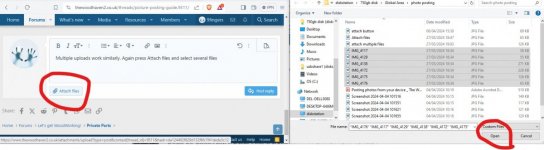
step 1 press the attach files button see screen shot below
This will open up the files selection tool on your device. Select the photo(s) that you want to upload and select open or double click or what ever selection mode you are used to.
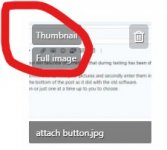
The following thumbnail will appear ( I only selected one photo) this time
Once loaded it will appear in the text like this
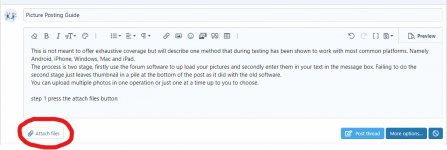
And you can continue with your text entry as you wish.
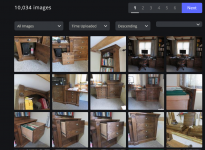
The next example shows multiple photo up loads
Android, iPhone, Windows, Mac and iPad.
The process is two stage, firstly use the forum software to up load your pictures and secondly enter them in your text in the message box. Failing to do the second stage just leaves thumbnail in a pile at the bottom of the post as it did with the old software.
You can upload multiple photos in one operation or just one at a time up to you to choose.
step 1 press the attach files button see screen shot below
This will open up the files selection tool on your device. Select the photo(s) that you want to upload and select open or double click or what ever selection mode you are used to.
The following thumbnail will appear ( I only selected one photo) this time
Once loaded it will appear in the text like this
And you can continue with your text entry as you wish.
The next example shows multiple photo up loads













 ) - Rob