Last post to wrap this one up (at least for the time being).
The gist of the code is as follows:
- When you switch on the arduino the code connects it to your wifi network.
- By having the arduino connected to a PC you can (through a serial hub) read the IP address it outputs.
- Putting the IP address into any browser connected to the same network brings up this page. The code fon the arduino populates the browser page.

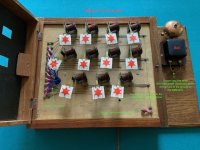
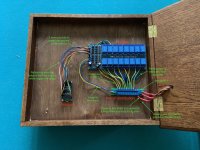
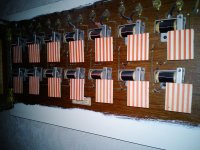
- Pressing the button on the page activates an output pin on the arduino which in turn fires the relay thus closing the circuit triggering the relevant electromagnet on the bell board and ringing the bell.
- The buttons automatically reset after a second or so, turning the bell off.
We found the code on the internet (GitHub I think) which did the vast majority of what we needed it to do. It very easily allowed you to specify the number of relays you wanted to operate. The changes we had to make were including our WiFi log on details, assigning an arduino pinout to each relay, and personalising the browser page by adding a heading and labelling the buttons with the room names. The last of these was the nearest we came to real coding but it actually turned out to be very easy... for my son, who deployed his GCSE computer science skills!
As mentioned before, future additions will be to have a front door bell which rings the appropriate flag on the board, and to have working wall buttons in some rooms (I think two of the rooms still have the button on the wall which I'd like to get working.
None of this is remotely useful, but it seems better than having the bell board languishing in a shed and it has been fun to combine some old and new technology and to wrk on it with my son.


















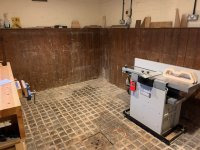

 You've got far too much floor space!!